

Vodka.bet Casino PHP Script – Premium Online Casino Source Code for Sale


| Games | Live Casino, Slots |
| Crypto deposits | Yes |
| PHP 8+ compatible | Yes |
| Mobile responsive | Yes |
| Technology | PHP,NodeJS |
Categories: PHP Casino Scripts
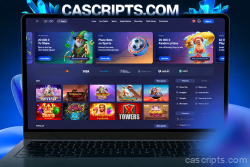
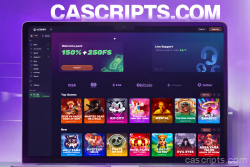
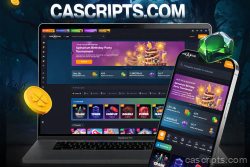
Discover the elite edge in online gaming with Vodka.bet Casino PHP Script, masterfully developed on the innovative Goldsvet CMS 9.0 platform. This superior, fully open-source script arms you with a ready-to-deploy casino system—boasting unencrypted files, pure modifiable code, and a powerhouse of 1,119 HTML5 games integrated into the core package. Experience impeccable compatibility across desktops, tablets, and mobiles, and scale up effortlessly by incorporating additional games from our specialized store at https://cascripts.com/category/slots/.
Standout Advantages of Vodka.bet:
- Premier Game Assortment Out of the Box: Kick off with 1,119 expertly curated games from top-tier creators, granting you absolute authority over RTP fine-tuning, victory algorithms, and setups—ensuring you claim full player revenues. From electrifying slots and strategic card battles to arcade escapades, fish-catching excitement, roulette gambles, keno thrills, and video poker duels, the foundational lineup breaks down as follows:
- Amatic: 107 games
- Aristocrat: 24 games
- BetSoft: 10 games
- Cards: 21 games
- Casino Technology: 30 games
- CQ9: 9 sets
- EGT: 137 games
- Arcade (FISH): 58 games
- Gamomat: 60 games
- Greentube: 158 games
- GD Games: 6 games
- Igrosoft: 17 games
- iSoftBet: 11 games
- KA Gaming: 66 games
- KENO: 8 games
- Mainama: 32 games
- Novomatic: 69 games
- Pragmatic: 12 games
- Playtech: 140 games
- Play'n GO: 8 games
- PlayGT: 12 games
- NETENT: 23 games
- NetGame: 25 games
- ROULETTE: 4 games
- Skywind: 15 games
- Vision: 25 games
- WAZDAN: 32 sets
All titles feature complimentary demo play, encouraging exploration without any upfront registration or stakes.
- Cutting-Edge Retention Mechanisms: Captivate your audience with smart functionalities such as "My Games" (curating up to 20 personal favorites), "New" (spotlighting 20 from the freshest 30 additions, cycled every 3 hours), and "Hot" (showcasing 20 crowd-pleasers from current metrics, renewed every 3 hours). Amplify with advancement trackers, bonus/jackpot prompts, timed Happy Hour boosts, referral incentives, introductory rewards, SMS outreach, and flexible promotions.
- Fortified Admin Interface and Defenses: Navigate your operations through a sleek control hub with tiered permissions (Admin > Agent > Distributor > Manager > Cashier > Player). Utilize proactive financial oversight with automated warnings, shutdowns, and SMS; incorporate 2FA for secure entries and deposits; and reinforce with overarching protection layers. Refine aspects like FAQs, contact hubs, and policy docs, while accelerating load times via lazy loading. Fresh fortifications address jackpot glitches, game replicas, and lockdowns, enhanced by Composer and Laravel advancements (version 8.38+).
- Adaptable Transaction Handling: Furnished with three embedded payment channels complete with deployment tutorials, plus crypto versatility via CoinPayments (spanning 15+ assets). Apply restrictions on gains and finances, swift outlet generation, and deal sieves for seamless oversight—suited for virtual or tangible environments.
- Enhanced Efficiency and Personalization: Delight in modernized mobile/desktop aesthetics, streamlined authorizations, layouts, and extensions like progression rewards and social invites. Consistent RTP delivers equitable entertainment, complemented by avenues for unique content embedding.
- Effortless Rollout and Sustained Aid: We furnish gratis expert installation on your setup (dedicated/VPS with Linux Ubuntu 20/22, 180GB+ capacity) to bypass any hurdles. Access endless complimentary refreshes, specialized guidance, and boundless tweaks for aesthetics, hues, formats, and further—whether digital with blockchain or manual offline.
Vodka.bet Casino Script empowers you to craft a vibrant, impenetrable gaming domain from the get-go. Seize the premium advantage—unleash this script and propel your casino to peak player devotion and prosperity!
| Games | Live Casino, Slots |
| Crypto deposits | Yes |
| PHP 8+ compatible | Yes |
| Mobile responsive | Yes |
| Technology | PHP,NodeJS |
Server Requirements
Before installation, ensure you have a clean VPS with the following specifications:
- Operating System: Ubuntu 18.04
- Storage: At least 100GB available space
- RAM: Minimum 4GB
- SSH Access: Via Putty or similar terminal client
1. Install Nginx Web Server
Connect to your server via SSH and run the following commands:
sudo apt update
sudo apt upgrade
sudo apt install nginx
sudo ufw allow OpenSSH
sudo ufw allow 'Nginx HTTP'
sudo ufw allow 'Nginx HTTPS'
sudo ufw enable
2. Configure Nginx
Open the Nginx configuration file:
sudo nano /etc/nginx/nginx.confMake the following changes:
- Uncomment
multi_acceptand set toon - Uncomment
server_tokensand set tooff(security) - Add
client_max_body_size 64m;below server_tokens - Uncomment
gzip_proxiedand set toany - Uncomment
gzip_comp_leveland set to2 - Uncomment
gzip_typesdirective
Save with Ctrl+X then press Y.
Edit FastCGI parameters:
sudo nano /etc/nginx/fastcgi_paramsAdd at the end of file:
fastcgi_param SCRIPT_FILENAME $document_root$fastcgi_script_name;Test and restart Nginx:
sudo nginx -t
sudo service nginx restart
3. Install PHP 7.4
Run the following commands:
sudo apt install software-properties-common
sudo add-apt-repository ppa:ondrej/php
sudo apt update
sudo apt install php7.4-fpm php7.4-common php7.4-mysql php7.4-xml php7.4-xmlrpc php7.4-curl php7.4-gd php7.4-imagick php7.4-cli php7.4-dev php7.4-imap php7.4-mbstring php7.4-opcache php7.4-soap php7.4-zip unzip -y
Verify installation:
php-fpm7.4 -v4. Configure PHP 7.4
Edit PHP configuration:
sudo nano /etc/php/7.4/fpm/php.iniPress F6 to search and update these values:
upload_max_filesize = 100M
post_max_size = 100M
Test and restart PHP-FPM:
sudo php-fpm7.4 -t
sudo service php7.4-fpm restart
5. Install MySQL Database
sudo apt install mysql-server
sudo mysql_secure_installation
sudo mysql
Inside MySQL prompt, run:
SELECT user,authentication_string,plugin,host FROM mysql.user;
ALTER USER 'root'@'localhost' IDENTIFIED WITH mysql_native_password BY 'password';
FLUSH PRIVILEGES;
exit;
6. Install and Configure VSFTPD
Install FTP server:
sudo apt update && sudo apt install vsftpd
sudo service vsftpd status
sudo ufw allow 20/tcp
sudo ufw allow 21/tcp
sudo ufw allow 40000:50000/tcp
sudo ufw allow 990/tcp
Create FTP user and configure:
sudo adduser ftpuser
sudo cp /etc/vsftpd.conf /etc/vsftpd.conf.bak
sudo nano /etc/vsftpd.conf
Find and modify:
write_enable=YES
chroot_local_user=YES
local_umask=022
anon_upload_enable=YES
anon_mkdir_write_enable=YES
Add at the bottom:
force_dot_files=YES
pasv_min_port=40000
pasv_max_port=50000
allow_writeable_chroot=YES
Set permissions and restart:
sudo chown -R ftpuser /var/www/html
sudo chmod o+w /var/www/html -R
sudo systemctl restart vsftpd
7. Upload Script Files
Download and extract the script files:
cd /var/www/html
wget 'your-download-link.zip'
unzip your-file.zip
For games:
cd /var/www/html/public/games/
wget 'your-games-link.zip'
unzip games.zip
8. Install Database Manager (Adminer)
Download Adminer to the public folder from: https://www.adminer.org/
9. Configure Nginx for Laravel
sudo nano /etc/nginx/sites-enabled/defaultReplace with:
server {
    listen 80 default_server;
    root /var/www/html/public/;
    index index.php index.html index.htm;

    location / {
        try_files $uri $uri/ /index.php$is_args$args;
    }

    location ~ \.php$ {
        try_files $uri /index.php =404;
        fastcgi_pass unix:/var/run/php/php7.4-fpm.sock;
        fastcgi_index index.php;
        fastcgi_param SCRIPT_FILENAME $document_root$fastcgi_script_name;
        include fastcgi_params;
    }
}
Restart Nginx:
systemctl restart nginx10. Setup Database
- Open browser and navigate to
your-server-ip/adminer.php - Create a new database
- Import the
goldsvet.sqlfile - Edit
/var/www/html/.envfile via FTP and configure:- MySQL connection details
- APP_URL (your server IP or domain)
11. Configure Game Servers
Navigate to /var/www/html/public and edit all .json files:
"host": "your-server-ip",
"host_ws": "your-server-ip"
Open required ports:
sudo ufw allow 12053
sudo ufw allow 12087
sudo ufw allow 12096
12. Install Node.js and Game Services
Install Node.js:
apt-get install curl
curl -sL https://deb.nodesource.com/setup_12.x | sudo -E bash -
apt-get install nodejs
Verify installation:
nodejs -vInstall dependencies and PM2:
npm install -g ws
npm install -g request
npm install pm2 -g
Navigate to PTWebSocket folder and start services:
cd /var/www/html/PTWebSocket
pm2 start Arcade.js
pm2 start Game2.js
pm2 start ServerMN.js
pm2 startup
pm2 save
13. Configure Laravel Cron Jobs
sudo apt-get update
sudo apt-get upgrade
sudo apt-get install cron
systemctl status cron
Setup cron task:
crontab -eAdd at the end:
* * * * * cd /var/www/html && php artisan schedule:run >> /dev/null 2>&114. Access Admin Panel
Navigate to: your-server-ip/admin
- Login: admin
- Password: 123456
Important: Change the default admin password immediately after first login!
15. SSL Certificate Configuration (Optional)
To run with HTTPS:
- Update
.envfile: ChangeAPP_URLtohttps://your-domain.com - Edit
public/.htaccessfor HTTPS redirect - Update
public/socket_config.json:
{
    "port": 8449,
    "host": "your-domain.com",
    "prefix": "https://",
    "host_ws": "your-domain.com",
    "prefix_ws": "wss://",
    "ssl": true
}
Add SSL certificates in PTWebSocket/ssl/:
crt.crt- Your SSL certificatekey.key- Your private key
Restart game services:
cd /var/www/html/PTWebSocket
pm2 delete Arcade.js
pm2 delete Game2.js
pm2 delete ServerMN.js
pm2 start Arcade.js
pm2 start Game2.js
pm2 start ServerMN.js
pm2 startup
pm2 save
Support
If you encounter any issues during installation, please contact our support team with your order number and server details.






6 reviews for Vodka.bet Casino PHP Script – Premium Online Casino Source Code for Sale