

Spinarium Casino PHP Script – Premium Online Casino Source Code


| Games | Live Casino, Sports, Slots |
| Crypto deposits | Yes |
| PHP 8+ compatible | Yes |
| Mobile responsive | Yes |
| Framework | Laravel |
| Technology | PHP,NodeJS |
Categories: PHP Casino Scripts
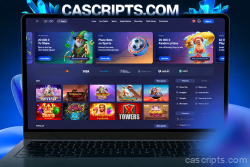
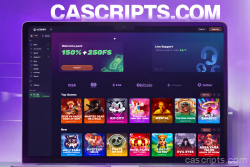
Transform your ideas into a stellar online casino with Spinarium Casino PHP Script, the premium choice powered by the advanced Goldsvet CMS 9.0. This fully open-source gem eliminates restrictions—offering clean, unencrypted files and editable code that's yours to mold. Right from the start, dive into a cosmic array of 1,119 HTML5 games optimized for seamless spins on desktops, tablets, and mobiles. Expand your galaxy of games anytime by grabbing more from our slots hub at https://cascripts.com/category/slots/.
Orbit of Features: What Powers Spinarium's Premium Orbit
Spinarium orbits around innovation and ease, delivering a universe of tools to captivate and control:
- Engagement Engines for Cosmic Retention: Launch players into hyperdrive with categories like "My Games" (orbiting 20 custom favorites per user), "New" (beaming 20 selections from the latest 30 every 3 hours), and "Hot" (illuminating 20 stellar performers from live data, updated every 3 hours). Fuel the journey with progression orbits, bonus/jackpot flares, Happy Hour boosters, referral warps, welcome launches, SMS signals, and orbit-customizable rewards.
- Fortress Admin Hub and Stellar Security: Command central from a cosmic console with role-based navigation (Admin > Agent > Distributor > Manager > Cashier > Player). Scan balances with auto-defense systems for alerts, locks, and SMS beacons; activate 2FA shields for entries and refuels; and deploy galaxy-wide protections. Tweak hubs like FAQs, comms links, and protocols, while accelerating with lazy loading. Patches fortify against jackpot black holes, game echoes, and barriers, propelled by Composer and Laravel stellar updates (version 8.38+).
- Warp-Speed Payments and Ops: Dock with three integrated gateways including launch manuals, or hyperspace to crypto via CoinPayments (15+ stellar currencies). Set gravity on earnings and reserves, instant base builds, and flux filters for smooth trajectories—ideal for digital expanses or grounded missions.
- Hyper-Optimized Dynamics and Customization: Blast through enhanced mobile/desktop vistas, calibrated controls, pathways, and modules like reward trajectories and ally summons. Balanced RTP ensures gravitational pull for fair orbits, with vast space for your branding flares on banners, palettes, blueprints, and add-ons.
Galactic Game Vault: 1,119 Stars Aligned and Ready
Blast off with a premium vault where you tweak RTP, trajectories, and alignments—harvesting 100% of stellar yields. From spinning nebulas to tactical voids, scan this provider constellation in tabular form:
| Provider | Games/Sets |
|---|---|
| Amatic | 107 games |
| Aristocrat | 24 games |
| BetSoft | 10 games |
| Cards | 21 games |
| Casino Technology | 30 games |
| CQ9 | 9 sets |
| EGT | 137 games |
| Arcade (FISH) | 58 games |
| Gamomat | 60 games |
| Greentube | 158 games |
| GD Games | 6 games |
| Igrosoft | 17 games |
| iSoftBet | 11 games |
| KA Gaming | 66 games |
| KENO | 8 games |
| Mainama | 32 games |
| Novomatic | 69 games |
| Pragmatic | 12 games |
| Playtech | 140 games |
| Play'n GO | 8 games |
| PlayGT | 12 games |
| NETENT | 23 games |
| NetGame | 25 games |
| ROULETTE | 4 games |
| Skywind | 15 games |
| Vision | 25 games |
| WAZDAN | 32 sets |
All stars shine with free demo probes, luring explorers to orbit without commitment.
Seamless Deployment: Launch Into Infinity
We provide premium propulsion with free expert installation on your station (dedicated/VPS on Linux Ubuntu 20/22, 180GB+ core). Unlock infinite updates, cosmic support, and boundless personalization to align your universe perfectly.
Spinarium Casino PHP Script is your premium portal to a thriving, secure cosmos of gaming. Engage warp drives—deploy today and watch your empire expand with unparalleled energy and gains!
| Games | Live Casino, Sports, Slots |
| Crypto deposits | Yes |
| PHP 8+ compatible | Yes |
| Mobile responsive | Yes |
| Framework | Laravel |
| Technology | PHP,NodeJS |
Server Requirements
Before installation, ensure you have a clean VPS with the following specifications:
- Operating System: Ubuntu 18.04
- Storage: At least 100GB available space
- RAM: Minimum 4GB
- SSH Access: Via Putty or similar terminal client
1. Install Nginx Web Server
Connect to your server via SSH and run the following commands:
sudo apt update
sudo apt upgrade
sudo apt install nginx
sudo ufw allow OpenSSH
sudo ufw allow 'Nginx HTTP'
sudo ufw allow 'Nginx HTTPS'
sudo ufw enable
2. Configure Nginx
Open the Nginx configuration file:
sudo nano /etc/nginx/nginx.confMake the following changes:
- Uncomment
multi_acceptand set toon - Uncomment
server_tokensand set tooff(security) - Add
client_max_body_size 64m;below server_tokens - Uncomment
gzip_proxiedand set toany - Uncomment
gzip_comp_leveland set to2 - Uncomment
gzip_typesdirective
Save with Ctrl+X then press Y.
Edit FastCGI parameters:
sudo nano /etc/nginx/fastcgi_paramsAdd at the end of file:
fastcgi_param SCRIPT_FILENAME $document_root$fastcgi_script_name;Test and restart Nginx:
sudo nginx -t
sudo service nginx restart
3. Install PHP 7.4
Run the following commands:
sudo apt install software-properties-common
sudo add-apt-repository ppa:ondrej/php
sudo apt update
sudo apt install php7.4-fpm php7.4-common php7.4-mysql php7.4-xml php7.4-xmlrpc php7.4-curl php7.4-gd php7.4-imagick php7.4-cli php7.4-dev php7.4-imap php7.4-mbstring php7.4-opcache php7.4-soap php7.4-zip unzip -y
Verify installation:
php-fpm7.4 -v4. Configure PHP 7.4
Edit PHP configuration:
sudo nano /etc/php/7.4/fpm/php.iniPress F6 to search and update these values:
upload_max_filesize = 100M
post_max_size = 100M
Test and restart PHP-FPM:
sudo php-fpm7.4 -t
sudo service php7.4-fpm restart
5. Install MySQL Database
sudo apt install mysql-server
sudo mysql_secure_installation
sudo mysql
Inside MySQL prompt, run:
SELECT user,authentication_string,plugin,host FROM mysql.user;
ALTER USER 'root'@'localhost' IDENTIFIED WITH mysql_native_password BY 'password';
FLUSH PRIVILEGES;
exit;
6. Install and Configure VSFTPD
Install FTP server:
sudo apt update && sudo apt install vsftpd
sudo service vsftpd status
sudo ufw allow 20/tcp
sudo ufw allow 21/tcp
sudo ufw allow 40000:50000/tcp
sudo ufw allow 990/tcp
Create FTP user and configure:
sudo adduser ftpuser
sudo cp /etc/vsftpd.conf /etc/vsftpd.conf.bak
sudo nano /etc/vsftpd.conf
Find and modify:
write_enable=YES
chroot_local_user=YES
local_umask=022
anon_upload_enable=YES
anon_mkdir_write_enable=YES
Add at the bottom:
force_dot_files=YES
pasv_min_port=40000
pasv_max_port=50000
allow_writeable_chroot=YES
Set permissions and restart:
sudo chown -R ftpuser /var/www/html
sudo chmod o+w /var/www/html -R
sudo systemctl restart vsftpd
7. Upload Script Files
Download and extract the script files:
cd /var/www/html
wget 'your-download-link.zip'
unzip your-file.zip
For games:
cd /var/www/html/public/games/
wget 'your-games-link.zip'
unzip games.zip
8. Install Database Manager (Adminer)
Download Adminer to the public folder from: https://www.adminer.org/
9. Configure Nginx for Laravel
sudo nano /etc/nginx/sites-enabled/defaultReplace with:
server {
    listen 80 default_server;
    root /var/www/html/public/;
    index index.php index.html index.htm;

    location / {
        try_files $uri $uri/ /index.php$is_args$args;
    }

    location ~ \.php$ {
        try_files $uri /index.php =404;
        fastcgi_pass unix:/var/run/php/php7.4-fpm.sock;
        fastcgi_index index.php;
        fastcgi_param SCRIPT_FILENAME $document_root$fastcgi_script_name;
        include fastcgi_params;
    }
}
Restart Nginx:
systemctl restart nginx10. Setup Database
- Open browser and navigate to
your-server-ip/adminer.php - Create a new database
- Import the
goldsvet.sqlfile - Edit
/var/www/html/.envfile via FTP and configure:- MySQL connection details
- APP_URL (your server IP or domain)
11. Configure Game Servers
Navigate to /var/www/html/public and edit all .json files:
"host": "your-server-ip",
"host_ws": "your-server-ip"
Open required ports:
sudo ufw allow 12053
sudo ufw allow 12087
sudo ufw allow 12096
12. Install Node.js and Game Services
Install Node.js:
apt-get install curl
curl -sL https://deb.nodesource.com/setup_12.x | sudo -E bash -
apt-get install nodejs
Verify installation:
nodejs -vInstall dependencies and PM2:
npm install -g ws
npm install -g request
npm install pm2 -g
Navigate to PTWebSocket folder and start services:
cd /var/www/html/PTWebSocket
pm2 start Arcade.js
pm2 start Game2.js
pm2 start ServerMN.js
pm2 startup
pm2 save
13. Configure Laravel Cron Jobs
sudo apt-get update
sudo apt-get upgrade
sudo apt-get install cron
systemctl status cron
Setup cron task:
crontab -eAdd at the end:
* * * * * cd /var/www/html && php artisan schedule:run >> /dev/null 2>&114. Access Admin Panel
Navigate to: your-server-ip/admin
- Login: admin
- Password: 123456
Important: Change the default admin password immediately after first login!
15. SSL Certificate Configuration (Optional)
To run with HTTPS:
- Update
.envfile: ChangeAPP_URLtohttps://your-domain.com - Edit
public/.htaccessfor HTTPS redirect - Update
public/socket_config.json:
{
    "port": 8449,
    "host": "your-domain.com",
    "prefix": "https://",
    "host_ws": "your-domain.com",
    "prefix_ws": "wss://",
    "ssl": true
}
Add SSL certificates in PTWebSocket/ssl/:
crt.crt- Your SSL certificatekey.key- Your private key
Restart game services:
cd /var/www/html/PTWebSocket
pm2 delete Arcade.js
pm2 delete Game2.js
pm2 delete ServerMN.js
pm2 start Arcade.js
pm2 start Game2.js
pm2 start ServerMN.js
pm2 startup
pm2 save
Support
If you encounter any issues during installation, please contact our support team with your order number and server details.







5 reviews for Spinarium Casino PHP Script – Premium Online Casino Source Code