

Legzo Casino PHP Script – Complete Online Casino Source Code for Sale


| Games | Live Casino, Sports, Slots |
| Crypto deposits | Yes |
| PHP 8+ compatible | Yes |
| Mobile responsive | Yes |
| Framework | Laravel |
| Technology | PHP,NodeJS |
Categories: PHP Casino Scripts
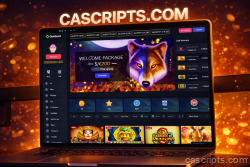
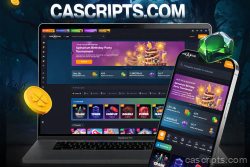
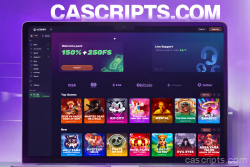
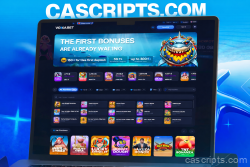
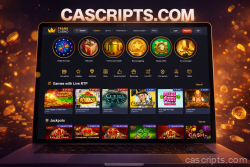
Launch your own professional online casino in days with the Legzo Casino PHP Script – the ultimate ready-to-deploy casino source code packed with premium features and modern design! Built on Laravel PHP 8.x + MySQL, this is a full-featured online casino script inspired by the top-rated Legzo platform, perfect for entrepreneurs ready to enter the booming iGaming market.
This complete casino source code includes everything you need to run a high-converting crypto & fiat casino website:
- 6,000+ Games Integration — Slots, table games (Blackjack, Roulette, Baccarat), live dealer casino, crash, mines, dice, and more!
- Crypto Payments Ready — Seamless support for Bitcoin, Ethereum, USDT, and other cryptocurrencies + traditional fiat options.
- Massive Bonus System — Welcome packages up to 300% + 500 Free Spins, reload bonuses, cashback, VIP loyalty program, and daily promotions.
- Live Casino & Real-Time Action — Professional dealers, chat, and immersive HD streaming.
- Mobile-Responsive & Fast — Fully optimized for desktop, tablet, and mobile – lightning-fast performance on any device.
- Advanced Admin Panel — Manage players, games, bonuses, payments, affiliates, and analytics with ease.
- Top-Level Security — Encryption, fraud detection, KYC, RNG certification-ready, and anti-cheat tools.
- Multi-Language & Multi-Currency — Global ready with easy customization.
Why buy this Legzo Casino source code?
- Proven & Scalable — Based on a real, successful casino platform with thousands of active users.
- 100% Customizable — Fully open source code – tweak themes, add games, or rebrand as your own casino.
- Quick Setup — Install in minutes and start accepting deposits & payouts instantly.
- SEO-Optimized — Built-in features to rank for keywords like online casino script, crypto casino source code, PHP casino script, gambling website source code, and more.
| Games | Live Casino, Sports, Slots |
| Crypto deposits | Yes |
| PHP 8+ compatible | Yes |
| Mobile responsive | Yes |
| Framework | Laravel |
| Technology | PHP,NodeJS |
Server Requirements
Before installation, ensure you have a clean VPS with the following specifications:
- Operating System: Ubuntu 18.04
- Storage: At least 100GB available space
- RAM: Minimum 4GB
- SSH Access: Via Putty or similar terminal client
1. Install Nginx Web Server
Connect to your server via SSH and run the following commands:
sudo apt update
sudo apt upgrade
sudo apt install nginx
sudo ufw allow OpenSSH
sudo ufw allow 'Nginx HTTP'
sudo ufw allow 'Nginx HTTPS'
sudo ufw enable
2. Configure Nginx
Open the Nginx configuration file:
sudo nano /etc/nginx/nginx.confMake the following changes:
- Uncomment
multi_acceptand set toon - Uncomment
server_tokensand set tooff(security) - Add
client_max_body_size 64m;below server_tokens - Uncomment
gzip_proxiedand set toany - Uncomment
gzip_comp_leveland set to2 - Uncomment
gzip_typesdirective
Save with Ctrl+X then press Y.
Edit FastCGI parameters:
sudo nano /etc/nginx/fastcgi_paramsAdd at the end of file:
fastcgi_param SCRIPT_FILENAME $document_root$fastcgi_script_name;Test and restart Nginx:
sudo nginx -t
sudo service nginx restart
3. Install PHP 7.4
Run the following commands:
sudo apt install software-properties-common
sudo add-apt-repository ppa:ondrej/php
sudo apt update
sudo apt install php7.4-fpm php7.4-common php7.4-mysql php7.4-xml php7.4-xmlrpc php7.4-curl php7.4-gd php7.4-imagick php7.4-cli php7.4-dev php7.4-imap php7.4-mbstring php7.4-opcache php7.4-soap php7.4-zip unzip -y
Verify installation:
php-fpm7.4 -v4. Configure PHP 7.4
Edit PHP configuration:
sudo nano /etc/php/7.4/fpm/php.iniPress F6 to search and update these values:
upload_max_filesize = 100M
post_max_size = 100M
Test and restart PHP-FPM:
sudo php-fpm7.4 -t
sudo service php7.4-fpm restart
5. Install MySQL Database
sudo apt install mysql-server
sudo mysql_secure_installation
sudo mysql
Inside MySQL prompt, run:
SELECT user,authentication_string,plugin,host FROM mysql.user;
ALTER USER 'root'@'localhost' IDENTIFIED WITH mysql_native_password BY 'password';
FLUSH PRIVILEGES;
exit;
6. Install and Configure VSFTPD
Install FTP server:
sudo apt update && sudo apt install vsftpd
sudo service vsftpd status
sudo ufw allow 20/tcp
sudo ufw allow 21/tcp
sudo ufw allow 40000:50000/tcp
sudo ufw allow 990/tcp
Create FTP user and configure:
sudo adduser ftpuser
sudo cp /etc/vsftpd.conf /etc/vsftpd.conf.bak
sudo nano /etc/vsftpd.conf
Find and modify:
write_enable=YES
chroot_local_user=YES
local_umask=022
anon_upload_enable=YES
anon_mkdir_write_enable=YES
Add at the bottom:
force_dot_files=YES
pasv_min_port=40000
pasv_max_port=50000
allow_writeable_chroot=YES
Set permissions and restart:
sudo chown -R ftpuser /var/www/html
sudo chmod o+w /var/www/html -R
sudo systemctl restart vsftpd
7. Upload Script Files
Download and extract the script files:
cd /var/www/html
wget 'your-download-link.zip'
unzip your-file.zip
For games:
cd /var/www/html/public/games/
wget 'your-games-link.zip'
unzip games.zip
8. Install Database Manager (Adminer)
Download Adminer to the public folder from: https://www.adminer.org/
9. Configure Nginx for Laravel
sudo nano /etc/nginx/sites-enabled/defaultReplace with:
server {
    listen 80 default_server;
    root /var/www/html/public/;
    index index.php index.html index.htm;

    location / {
        try_files $uri $uri/ /index.php$is_args$args;
    }

    location ~ \.php$ {
        try_files $uri /index.php =404;
        fastcgi_pass unix:/var/run/php/php7.4-fpm.sock;
        fastcgi_index index.php;
        fastcgi_param SCRIPT_FILENAME $document_root$fastcgi_script_name;
        include fastcgi_params;
    }
}
Restart Nginx:
systemctl restart nginx10. Setup Database
- Open browser and navigate to
your-server-ip/adminer.php - Create a new database
- Import the
goldsvet.sqlfile - Edit
/var/www/html/.envfile via FTP and configure:- MySQL connection details
- APP_URL (your server IP or domain)
11. Configure Game Servers
Navigate to /var/www/html/public and edit all .json files:
"host": "your-server-ip",
"host_ws": "your-server-ip"
Open required ports:
sudo ufw allow 12053
sudo ufw allow 12087
sudo ufw allow 12096
12. Install Node.js and Game Services
Install Node.js:
apt-get install curl
curl -sL https://deb.nodesource.com/setup_12.x | sudo -E bash -
apt-get install nodejs
Verify installation:
nodejs -vInstall dependencies and PM2:
npm install -g ws
npm install -g request
npm install pm2 -g
Navigate to PTWebSocket folder and start services:
cd /var/www/html/PTWebSocket
pm2 start Arcade.js
pm2 start Game2.js
pm2 start ServerMN.js
pm2 startup
pm2 save
13. Configure Laravel Cron Jobs
sudo apt-get update
sudo apt-get upgrade
sudo apt-get install cron
systemctl status cron
Setup cron task:
crontab -eAdd at the end:
* * * * * cd /var/www/html && php artisan schedule:run >> /dev/null 2>&114. Access Admin Panel
Navigate to: your-server-ip/admin
- Login: admin
- Password: 123456
Important: Change the default admin password immediately after first login!
15. SSL Certificate Configuration (Optional)
To run with HTTPS:
- Update
.envfile: ChangeAPP_URLtohttps://your-domain.com - Edit
public/.htaccessfor HTTPS redirect - Update
public/socket_config.json:
{
    "port": 8449,
    "host": "your-domain.com",
    "prefix": "https://",
    "host_ws": "your-domain.com",
    "prefix_ws": "wss://",
    "ssl": true
}
Add SSL certificates in PTWebSocket/ssl/:
crt.crt- Your SSL certificatekey.key- Your private key
Restart game services:
cd /var/www/html/PTWebSocket
pm2 delete Arcade.js
pm2 delete Game2.js
pm2 delete ServerMN.js
pm2 start Arcade.js
pm2 start Game2.js
pm2 start ServerMN.js
pm2 startup
pm2 save
Support
If you encounter any issues during installation, please contact our support team with your order number and server details.




4 reviews for Legzo Casino PHP Script – Complete Online Casino Source Code for Sale